
Alexey Sharagin from Embarcadero just wrote a blog article titled Tuning VCL Styles for Forms and Controls, which shows some features related to the VCL Styles introduced in Delphi XE3.
How customize the fonts of a TActionMainMenuBar and TPopupActionBar with the VCL Styles Enabled
This week I received two emails from different Delphi developers asking about : How customize the fonts of a TActionMainMenuBar and TPopupActionBar with the Vcl Styles Enabled? Also a question about the same topic was asked in StackOverflow.
This post shows how this task can be done.
In order to change the font and size of a TActionMainMenuBar and a TPopupActionBar in a VCL application you must use the Screen.MenuFont property like so.
  Screen.MenuFont.Name := 'Impact';
  Screen.MenuFont.Size := 12;

But if the Vcl Styles are enabled these changes are not reflected (This is because the Vcl Styles uses the fonts defined in style file).

Now if you want change the font type or font size of the Vcl Styles elements related to the menus like MenuItemTextNormal, MenuItemTextHot and so on, you will use the Style Designer and set font values which you want.

But unfortunately this will not work either, I mean even if you edit the fonts of the Vcl Style file, the changes are not reflected in the Menus components (or others controls). The reason for this is that the Vcl Styles Engine ignores the fonts types and font size defined in the style file. and just use the font color value to draw the text of the controls.
Note : The font used by the Vcl Styles is Tahoma and the Size is 8.
So what is the solution for customize the font of a TActionMainMenuBar component? A possible workaround is create a new Action Bar Style and also create a new TCustomMenuItem and TCustomMenuButton to override the DrawText method and draw your self the menu text using the Screen.MenuFont values, the good news are which since now, you can find a implementation of a new Action Bar Style in the <a href="https://github.com/RRUZ/vcl-styles-utils/blob/master/Common/Vcl.PlatformVclStylesActnCtrls.pas unit (which is part of the VCL Styles Utils project) which allows you to modify the font of the TActionMainMenuBar and TPopupActionBar components.
So to use this new Action Bar Style, just add the Vcl.PlatformVclStylesActnCtrls unit to your project and then assign the new style to your Action Manager like so :
ActionManager1.Style:=PlatformVclStylesStyle;
And now when you run your app the TActionMainMenuBar and TPopupActionBar will use the font defined in the Screen.MenuFont property.


Exploring Delphi XE3 – Accesing Windows Sensors from VCL (and Firemonkey)
 Delphi XE3 includes support for sensors in OSX and Windows, the classes and types necessaries to access such devices are defined as abstract classes in the System.Sensors unit and implemented in the System.Mac.Sensors unit for OSX and System.Win.Sensors unit for Windows. This article will focus in the Windows side implementation.
Windows 7 introduces the Sensor and Location API, which unifies the access to hardware devices like GPS, Light Sensors, Biometric Sensors and so on. Avoiding the need of use a specific dlls or SDK to control the sensor devices. this API is condensed on these files which are part of the Windows 7 Software Development Kit (SDK).
| File name | Description |
|---|---|
| Sensorsapi.h | The main header file for the Sensor API. This header file contains the interface definitions. |
| Sensors.h | The header file that contains definitions of platform-defined constants. |
| Initguid.h | The header file that contains definitions for controlling GUID initialization.{ |
| FunctionDiscoveryKeys.h | The header file that defines device ID property keys that are required when you connect to logical sensors. |
| Sensorsapi.lib | A static library that contains GUID definitions for the Sensor API. |
| PortableDeviceGuids.lib | A static library that contains GUID definitions for Windows Portable Devices objects. |
All these headers was translated by Embarcadero and included as part of the RTL of the Delphi XE3, these are the units which contains such translations Winapi.Portabledevicetypes, Winapi.Sensors, Winapi.Sensorsapi, Winapi.Locationapi. Fortunately an additional set of classes was added to wrap the sensors API, these classes are defined and implemented in the System.Sensors and System.Win.Sensors units. So you don’t need access directly interfaces like ISensor or ISensorManager to gain access to the sensors.
Enumerating Sensors
 In order to gain access to the sensors you must get an instance to the TSensorManager class and then call the Activate method, from here you can iterate over the Sensors property or use the GetSensorsByCategory method to get an array of TSensor objects filtered by an TSensorCategory.
var
  LManager : TSensorManager;
  LSensors : TSensorArray;
  LSensor  : TCustomSensor;
begin
  LManager := TSensorManager.Current;
  LManager.Activate;
  try
    LSensors  := LManager.GetSensorsByCategory(TSensorCategory.Location);
    for LSensor in LSensors do
    begin
      //do something
    end;
  finally
    LManager.Deactivate;
  end;
end;
All the sensors share a common set of properties like the Manufacturer, Model, Serial number and so on. So extending the above code you can access such properties on this way :
var
  LManager : TSensorManager;
  LSensors : TSensorArray;
  LSensor  : TCustomSensor;
begin
  LManager := TSensorManager.Current;
  LManager.Activate;
  try
    LSensors  := LManager.GetSensorsByCategory(TSensorCategory.Location);
    for LSensor in LSensors do
    begin
      Writeln(Format('Description  : %s', [LSensor.Description]));
      Writeln(Format('Manufacturer : %s', [LSensor.Manufacturer]));
      Writeln(Format('Model        : %s', [LSensor.Model]));
      Writeln(Format('Serial No    : %s', [LSensor.SerialNo]));
      Writeln(Format('State        : %s', [GetEnumName(TypeInfo(TSensorState),integer(LSensor.State))]));
      Writeln(Format('TimeStamp    : %s', [DatetoStr(LSensor.TimeStamp)]));
      Writeln(Format('Unique ID    : %s', [LSensor.UniqueID]));
    end;
  finally
    LManager.Deactivate;
  end;
end;
Now depending of the sensor category, you must cast the TCustomSensor to the proper specific class, in this case we will use the TCustomLocationSensor class.
var
  LManager : TSensorManager;
  LSensors : TSensorArray;
  LSensor  : TCustomSensor;
  LLocationSensor          : TCustomLocationSensor;
begin
  LManager := TSensorManager.Current;
  LManager.Activate;
  try
    LSensors  := LManager.GetSensorsByCategory(TSensorCategory.Location);
    for LSensor in LSensors do
    begin
      Writeln(Format('Description  : %s', [LSensor.Description]));
      Writeln(Format('Manufacturer : %s', [LSensor.Manufacturer]));
      Writeln(Format('Model        : %s', [LSensor.Model]));
      Writeln(Format('Serial No    : %s', [LSensor.SerialNo]));
      Writeln(Format('State        : %s', [GetEnumName(TypeInfo(TSensorState),integer(LSensor.State))]));
      Writeln(Format('TimeStamp    : %s', [DatetoStr(LSensor.TimeStamp)]));
      Writeln(Format('Unique ID    : %s', [LSensor.UniqueID]));

        LLocationSensor:=LSensor as TCustomLocationSensor;
        LLocationSensor.Start;
        try
          Writeln(Format('Sensor Type       : %s', [GetEnumName(TypeInfo(TLocationSensorType),integer(LLocationSensor.SensorType))]));
          Writeln(Format('Authorized        : %s', [GetEnumName(TypeInfo(TAuthorizationType),integer(LLocationSensor.Authorized))]));
          Writeln(Format('Accuracy          : %n', [LLocationSensor.Accuracy]));
          Writeln(Format('Distance          : %n', [LLocationSensor.Distance]));
          Writeln(Format('Power Consumption : %s', [GetEnumName(TypeInfo(TPowerConsumption),integer(LLocationSensor.PowerConsumption))]));
          Writeln(Format('Location Change   : %s', [GetEnumName(TypeInfo(TLocationChangeType),integer(LLocationSensor.LocationChange))]));
          if TCustomLocationSensor.TProperty.Latitude in  LLocationSensor.AvailableProperties then
          Writeln(Format('Latitude          : %n', [LLocationSensor.Latitude]));
          if TCustomLocationSensor.TProperty.Longitude in  LLocationSensor.AvailableProperties then
          Writeln(Format('Longitude         : %n', [LLocationSensor.Longitude]));
          if TCustomLocationSensor.TProperty.ErrorRadius in  LLocationSensor.AvailableProperties then
          Writeln(Format('Error Radius      : %n', [LLocationSensor.ErrorRadius]));
          if TCustomLocationSensor.TProperty.Altitude in  LLocationSensor.AvailableProperties then
          Writeln(Format('Altitude          : %n', [LLocationSensor.Altitude]));
          if TCustomLocationSensor.TProperty.Speed in  LLocationSensor.AvailableProperties then
          Writeln(Format('Speed             : %n', [LLocationSensor.Speed]));
          if TCustomLocationSensor.TProperty.TrueHeading in  LLocationSensor.AvailableProperties then
          Writeln(Format('True Heading      : %n', [LLocationSensor.TrueHeading]));
          if TCustomLocationSensor.TProperty.MagneticHeading in  LLocationSensor.AvailableProperties then
          Writeln(Format('Magnetic Heading  : %n', [LLocationSensor.MagneticHeading]));
          if TCustomLocationSensor.TProperty.Address1 in  LLocationSensor.AvailableProperties then
          Writeln(Format('Address1          : %s', [LLocationSensor.Address1]));
          if TCustomLocationSensor.TProperty.Address2 in  LLocationSensor.AvailableProperties then
          Writeln(Format('Address2          : %s', [LLocationSensor.Address2]));
          if TCustomLocationSensor.TProperty.City in  LLocationSensor.AvailableProperties then
          Writeln(Format('City              : %s', [LLocationSensor.City]));
          if TCustomLocationSensor.TProperty.StateProvince in  LLocationSensor.AvailableProperties then
          Writeln(Format('State/Province    : %s', [LLocationSensor.StateProvince]));
          if TCustomLocationSensor.TProperty.PostalCode in  LLocationSensor.AvailableProperties then
          Writeln(Format('Postal Code       : %s', [LLocationSensor.PostalCode]));
          if TCustomLocationSensor.TProperty.CountryRegion in  LLocationSensor.AvailableProperties then
          Writeln(Format('Country Region    : %s', [LLocationSensor.CountryRegion]));
        finally
          LLocationSensor.Stop;
        end;
        Writeln;
    end;
  finally
    LManager.Deactivate;
  end;

end;
Not all the properties exposed by the Windows sensors and Location API are mapped directly in the TCustomSensors class, so to access this additional data you can use the HasCustomData and CustomData indexed properties and use one of the values defined in the Winapi.Sensors unit which is the translation of the Sensors.h header file.
  if LLocationSensor.HasCustomData[SENSOR_DATA_TYPE_SATELLITES_USED_COUNT]  then
    Writeln(Format('Satellites used : %d', [ Integer(LLocationSensor.CustomData[SENSOR_DATA_TYPE_SATELLITES_USED_COUNT])]));
Sample Application
Check this sample console application which enumerates all the sensors and properties.
{$APPTYPE CONSOLE}

uses
  System.TypInfo,
  System.Sensors,
  System.SysUtils;

procedure EnumerateSensors;
var
  LManager : TSensorManager;
  LCustomLocationSensor          : TCustomLocationSensor;
  LCustomLightSensor             : TCustomLightSensor;
  LCustomEnvironmentalSensor     : TCustomEnvironmentalSensor;
  LCustomMotionSensor            : TCustomMotionSensor;
  LCustomOrientationSensor       : TCustomOrientationSensor;
  LCustomMechanicalSensor        : TCustomMechanicalSensor;
  LCustomElectricalSensor        : TCustomElectricalSensor;
  LCustomBiometricSensor         : TCustomBiometricSensor;
  LCustomScannerSensor           : TCustomScannerSensor;
  LSensor  : TCustomSensor;
  i        : Integer;
begin
  LManager := TSensorManager.Current;
  LManager.Activate;
  //LSensors  := LManager.GetSensorsByCategory(TSensorCategory.Location);
  if LManager.Count > 0 then
  for i := 0 to LManager.Count-1 do
  begin
    Writeln(Format('Sensor %d',[i+1]));
    Writeln('--------');

    LSensor:= LManager.Sensors[i];
    Writeln(Format('Category     : %s', [GetEnumName(TypeInfo(TSensorCategory),integer(LSensor.Category))]));
    Writeln(Format('Description  : %s', [LSensor.Description]));
    Writeln(Format('Manufacturer : %s', [LSensor.Manufacturer]));
    Writeln(Format('Model        : %s', [LSensor.Model]));
    Writeln(Format('Serial No    : %s', [LSensor.SerialNo]));
    Writeln(Format('State        : %s', [GetEnumName(TypeInfo(TSensorState),integer(LSensor.State))]));
    Writeln(Format('TimeStamp    : %s', [DatetoStr(LSensor.TimeStamp)]));
    Writeln(Format('Unique ID    : %s', [LSensor.UniqueID]));

    case LSensor.Category of

      TSensorCategory.Location :
      begin
        LCustomLocationSensor:=LSensor as TCustomLocationSensor;
        LCustomLocationSensor.Start;
        Writeln(Format('Sensor Type       : %s', [GetEnumName(TypeInfo(TLocationSensorType),integer(LCustomLocationSensor.SensorType))]));
        Writeln(Format('Authorized        : %s', [GetEnumName(TypeInfo(TAuthorizationType),integer(LCustomLocationSensor.Authorized))]));
        Writeln(Format('Accuracy          : %n', [LCustomLocationSensor.Accuracy]));
        Writeln(Format('Distance          : %n', [LCustomLocationSensor.Distance]));
        Writeln(Format('Power Consumption : %s', [GetEnumName(TypeInfo(TPowerConsumption),integer(LCustomLocationSensor.PowerConsumption))]));
        Writeln(Format('Location Change   : %s', [GetEnumName(TypeInfo(TLocationChangeType),integer(LCustomLocationSensor.LocationChange))]));
        Writeln(Format('Latitude          : %n', [LCustomLocationSensor.Latitude]));
        Writeln(Format('Longitude         : %n', [LCustomLocationSensor.Longitude]));
        Writeln(Format('Longitude         : %n', [LCustomLocationSensor.Longitude]));
        Writeln(Format('Error Radius      : %n', [LCustomLocationSensor.ErrorRadius]));
        Writeln(Format('Altitude          : %n', [LCustomLocationSensor.Altitude]));
        Writeln(Format('Speed             : %n', [LCustomLocationSensor.Speed]));
        Writeln(Format('True Heading      : %n', [LCustomLocationSensor.TrueHeading]));
        Writeln(Format('Magnetic Heading  : %n', [LCustomLocationSensor.MagneticHeading]));
        Writeln(Format('Address1          : %s', [LCustomLocationSensor.Address1]));
        Writeln(Format('Address2          : %s', [LCustomLocationSensor.Address2]));
        Writeln(Format('City              : %s', [LCustomLocationSensor.City]));
        Writeln(Format('State/Province    : %s', [LCustomLocationSensor.StateProvince]));
        Writeln(Format('Postal Code       : %s', [LCustomLocationSensor.PostalCode]));
        Writeln(Format('Country Region    : %s', [LCustomLocationSensor.CountryRegion]));
        LCustomLocationSensor.Stop;
      end;

      TSensorCategory.Light :
      begin
        LCustomLightSensor:=LSensor as TCustomLightSensor;
        Writeln(Format('Lux          : %n', [LCustomLightSensor.Lux]));
        Writeln(Format('Temperature  : %n', [LCustomLightSensor.Temperature]));
        Writeln(Format('Chromacity   : %n', [LCustomLightSensor.Chromacity]));
        Writeln(Format('Sensor Type  : %s', [GetEnumName(TypeInfo(TLightSensorType),integer(LCustomLightSensor.SensorType))]));
      end;

      TSensorCategory.Environmental :
      begin
        LCustomEnvironmentalSensor:= LSensor as TCustomEnvironmentalSensor;
        Writeln(Format('Sensor Type    : %s', [GetEnumName(TypeInfo(TEnvironmentalSensorType),integer(LCustomEnvironmentalSensor.SensorType))]));
        Writeln(Format('Temperature    : %n', [LCustomEnvironmentalSensor.Temperature]));
        Writeln(Format('Pressure       : %n', [LCustomEnvironmentalSensor.Pressure]));
        Writeln(Format('Humidity       : %n', [LCustomEnvironmentalSensor.Humidity]));
        Writeln(Format('Wind Direction : %n', [LCustomEnvironmentalSensor.WindDirection]));
        Writeln(Format('Wind Speed     : %n', [LCustomEnvironmentalSensor.WindSpeed]));
      end;

      TSensorCategory.Motion :
      begin
        LCustomMotionSensor:= LSensor as TCustomMotionSensor;
        Writeln(Format('Sensor Type    : %s', [GetEnumName(TypeInfo(TMotionSensorType),integer(LCustomMotionSensor.SensorType))]));
        Writeln(Format('Acceleration X : %n', [LCustomMotionSensor.AccelerationX]));
        Writeln(Format('Acceleration Y : %n', [LCustomMotionSensor.AccelerationY]));
        Writeln(Format('Acceleration Z : %n', [LCustomMotionSensor.AccelerationZ]));
        Writeln(Format('Angle Accel. X : %n', [LCustomMotionSensor.AngleAccelX]));
        Writeln(Format('Angle Accel. Y : %n', [LCustomMotionSensor.AngleAccelY]));
        Writeln(Format('Angle Accel. Z : %n', [LCustomMotionSensor.AngleAccelZ]));
        Writeln(Format('Motion         : %n', [LCustomMotionSensor.Motion]));
        Writeln(Format('Speed          : %n', [LCustomMotionSensor.Speed]));
        Writeln(Format('Update Interval: %n', [LCustomMotionSensor.UpdateInterval]));
      end;

      TSensorCategory.Orientation :
      begin
        LCustomOrientationSensor:= LSensor as TCustomOrientationSensor;
        Writeln(Format('Sensor Type    : %s', [GetEnumName(TypeInfo(TOrientationSensorType),integer(LCustomOrientationSensor.SensorType))]));
        Writeln(Format('Tilt X         : %n', [LCustomOrientationSensor.TiltX]));
        Writeln(Format('Tilt Y         : %n', [LCustomOrientationSensor.TiltY]));
        Writeln(Format('Tilt Z         : %n', [LCustomOrientationSensor.TiltZ]));
        Writeln(Format('Distance X     : %n', [LCustomOrientationSensor.DistanceX]));
        Writeln(Format('Distance Y     : %n', [LCustomOrientationSensor.DistanceY]));
        Writeln(Format('Distance Z     : %n', [LCustomOrientationSensor.DistanceZ]));
        Writeln(Format('Heading X      : %n', [LCustomOrientationSensor.HeadingX]));
        Writeln(Format('Heading Y      : %n', [LCustomOrientationSensor.HeadingY]));
        Writeln(Format('Heading Z      : %n', [LCustomOrientationSensor.HeadingZ]));
        Writeln(Format('Mag. Heading   : %n', [LCustomOrientationSensor.MagHeading]));
        Writeln(Format('True Heading   : %n', [LCustomOrientationSensor.TrueHeading]));
        Writeln(Format('Comp.Heading   : %n', [LCustomOrientationSensor.CompMagHeading]));
        Writeln(Format('Comp True Head : %n', [LCustomOrientationSensor.CompTrueHeading]));
      end;

      TSensorCategory.Mechanical :
      begin
        LCustomMechanicalSensor:= LSensor as TCustomMechanicalSensor;
        Writeln(Format('Sensor Type    : %s', [GetEnumName(TypeInfo(TMechanicalSensorType),integer(LCustomMechanicalSensor.SensorType))]));
        Writeln(Format('Switch State   : %s', [BoolToStr(LCustomMechanicalSensor.SwitchState, True)]));
        Writeln(Format('Switch Array State : %d', [LCustomMechanicalSensor.SwitchArrayState]));
        Writeln(Format('Multi Value State  : %n', [LCustomMechanicalSensor.MultiValueState]));
        Writeln(Format('Force              : %n', [LCustomMechanicalSensor.Force]));
        Writeln(Format('Abs. Pressure      : %n', [LCustomMechanicalSensor.AbsPressure]));
        Writeln(Format('Gauge Pressure     : %n', [LCustomMechanicalSensor.GaugePressure]));
        Writeln(Format('Strain             : %n', [LCustomMechanicalSensor.Strain]));
        Writeln(Format('Weight             : %n', [LCustomMechanicalSensor.Weight]));
      end;

      TSensorCategory.Electrical :
      begin
        LCustomElectricalSensor:= LSensor as TCustomElectricalSensor;
        Writeln(Format('Sensor Type    : %s', [GetEnumName(TypeInfo(TElectricalSensorType),integer(LCustomElectricalSensor.SensorType))]));
        Writeln(Format('Capacitance    : %n', [LCustomElectricalSensor.Capacitance]));
        Writeln(Format('Resistance     : %n', [LCustomElectricalSensor.Resistance]));
        Writeln(Format('Inductance     : %n', [LCustomElectricalSensor.Inductance]));
        Writeln(Format('Current        : %n', [LCustomElectricalSensor.Current]));
        Writeln(Format('Voltage        : %n', [LCustomElectricalSensor.Voltage]));
        Writeln(Format('Power          : %n', [LCustomElectricalSensor.Power]));
      end;

      TSensorCategory.Biometric :
      begin
        LCustomBiometricSensor:= LSensor as TCustomBiometricSensor;
        Writeln(Format('Sensor Type    : %s', [GetEnumName(TypeInfo(TBiometricSensorType),integer(LCustomBiometricSensor.SensorType))]));
        Writeln(Format('Human Proximity: %n', [LCustomBiometricSensor.HumanProximity]));
        Writeln(Format('Human Presense : %s', [BoolToStr(LCustomBiometricSensor.HumanPresense, True)]));
        Writeln(Format('Touch          : %s', [BoolToStr(LCustomBiometricSensor.Touch, True)]));
      end;

      TSensorCategory.Scanner :
      begin
        LCustomScannerSensor:= LSensor as TCustomScannerSensor;
        Writeln(Format('Sensor Type    : %s', [GetEnumName(TypeInfo(TScannerSensorType),integer(LCustomScannerSensor.SensorType))]));
        Writeln(Format('Human Proximity: %d', [LCustomScannerSensor.RFIDTag]));
        Writeln(Format('Barcode Data   : %s', [LCustomScannerSensor.BarcodeData]));
      end;

    end;
    Writeln;
  end
  else
   Writeln('Not sensors was found');
  LManager.Deactivate;
end;

begin
  try
    EnumerateSensors;
  except
    on E: Exception do
      Writeln(E.ClassName, ': ', E.Message);
  end;
  Readln;
end.
Virtual Sensors
If you don’t have sensors in your machine you can play with these virtual sensors.
CnWizards and Delphi XE3
 If you can’t live without the CnWizards (like me), you can download the CnWizards 0.9.9.635 Unstable version which supports RAD Studio XE3 right now.
Delphi IDE Theme Editor – New feature : Help Insight Themed
I just added a new feature to the Delphi IDE Theme Editor which allow you to apply the current select theme to the Help Insight window.
Here is how the Help Insight window typically looks like

And now with the current theme applied.

This new option is enabled by default in the tool, but you can disable anytime using the settings window.

Exploring Delphi XE3 – WinApi Additions – Winapi.Functiondiscovery Part 3
This is the part 3 of the Exploring Delphi XE3 – WinApi Additions – Winapi.Functiondiscovery Article.
The Function Discovery API can be used not just for enumerate devices also you can receive notifications as well, like when a device is added, removed or a property of the device is modified. In order to receive such notifications you must implement the IFunctionDiscoveryNotification interface and pass a instance of this implementation to the CreateInstanceCollectionQuery method, then you must restrict the result of the query with the method AddQueryConstraint passing the PROVIDERPNP_QUERYCONSTRAINT_NOTIFICATIONSONLY value to only receive notifications and finally call the IFunctionInstanceCollectionQuery.Execute method.
Implementing the IFunctionDiscoveryNotification interface
The IFunctionDiscoveryNotification interface exposes 3 methods to receive the results of the asynchronous queries returned by the execution of the IFunctionInstanceCollectionQuery.Execute method.
| OnError | Receives errors that occur during asynchronous query processing. |
| OnEvent | Receives any add, remove, or update events. |
| OnUpdate | Indicates that a function instance has been added, removed, or changed. |
This is the Delphi declaration of the IFunctionDiscoveryNotification interface.
IFunctionDiscoveryNotification = interface(IUnknown)
[SID_IFunctionDiscoveryNotification]
  function OnUpdate(enumQueryUpdateAction: QueryUpdateAction; fdqcQueryContext: FDQUERYCONTEXT; pIFunctionInstance: IFunctionInstance): HRESULT; stdcall;
  function OnError(hr: HRESULT; fdqcQueryContext: FDQUERYCONTEXT; pszProvider: PWCHAR): HRESULT; stdcall;
  function OnEvent(dwEventID: DWORD; fdqcQueryContext: FDQUERYCONTEXT; pszProvider: PWCHAR): HRESULT; stdcall;
end;
Now check this Delphi implementation for the IFunctionDiscoveryNotification interface.
type
  TFunctionDiscoveryOnUpdate = procedure(enumQueryUpdateAction: QueryUpdateAction; fdqcQueryContext: FDQUERYCONTEXT;
      pIFunctionInstance: IFunctionInstance) of object;
  TFunctionDiscoveryOnError  = procedure(hr: HRESULT; fdqcQueryContext: FDQUERYCONTEXT; pszProvider: PWCHAR) of object;
  TFunctionDiscoveryOnEvent  = procedure(dwEventID: DWORD; fdqcQueryContext: FDQUERYCONTEXT; pszProvider: PWCHAR) of object;

  TFunctionDiscoveryNotificationSync=class(TInterfacedObject, IFunctionDiscoveryNotification)
  private
    FAction        : QueryUpdateAction;
    FEventAdd      : TEvent;
    FEventRemove   : TEvent;
    FEventChange   : TEvent;
    FOnUpdateEvent : TFunctionDiscoveryOnUpdate;
    FOnErrorEvent  : TFunctionDiscoveryOnError;
    FOnEventEvent  : TFunctionDiscoveryOnEvent;
    function OnUpdate(enumQueryUpdateAction: QueryUpdateAction; fdqcQueryContext: FDQUERYCONTEXT;
      pIFunctionInstance: IFunctionInstance): HRESULT; stdcall;
    function OnError(hr: HRESULT; fdqcQueryContext: FDQUERYCONTEXT; pszProvider: PWCHAR): HRESULT; stdcall;
    function OnEvent(dwEventID: DWORD; fdqcQueryContext: FDQUERYCONTEXT; pszProvider: PWCHAR): HRESULT; stdcall;
  public
    constructor Create;
    destructor Destroy; override;
    function WaitFor(dwTimeout : DWORD; pszCategory: PWCHAR; eAction : QueryUpdateAction) : HRESULT;
    property OnUpdateEvent: TFunctionDiscoveryOnUpdate read FOnUpdateEvent write FOnUpdateEvent;
    property OnErrorEvent : TFunctionDiscoveryOnError read FOnErrorEvent write FOnErrorEvent;
    property OnEventEvent : TFunctionDiscoveryOnEvent read FOnEventEvent write FOnEventEvent;
  end;


{TFunctionDiscoveryNotificationSync}

constructor TFunctionDiscoveryNotificationSync.Create;
begin
  inherited;
  FOnUpdateEvent:=nil;
  //create the  events objects
  FEventAdd    := TEvent.Create(nil, False, False, '', true);
  FEventRemove := TEvent.Create(nil, False, False, '', true);
  FEventChange := TEvent.Create(nil, False, False, '', true);
end;

destructor TFunctionDiscoveryNotificationSync.Destroy;
begin
  //release the event objects
  FEventAdd.Free;
  FEventRemove.Free;
  FEventChange.Free;
  inherited;
end;

function TFunctionDiscoveryNotificationSync.OnError(hr: HRESULT;
  fdqcQueryContext: FDQUERYCONTEXT; pszProvider: PWCHAR): HRESULT;
begin
   //send the error notification if a callback method  was defined
   if @FOnErrorEvent<>nil then
    FOnErrorEvent(hr, fdqcQueryContext, pszProvider);
   Exit(S_OK);
end;

function TFunctionDiscoveryNotificationSync.OnEvent(dwEventID: DWORD;
  fdqcQueryContext: FDQUERYCONTEXT; pszProvider: PWCHAR): HRESULT;
begin
   //send the OnEvent notification if a callback method  was defined
   if @FOnEventEvent<>nil then
    FOnEventEvent(dwEventID, fdqcQueryContext, pszProvider);
   Exit(S_OK);
end;

function TFunctionDiscoveryNotificationSync.OnUpdate(
  enumQueryUpdateAction: QueryUpdateAction; fdqcQueryContext: FDQUERYCONTEXT;
  pIFunctionInstance: IFunctionInstance): HRESULT;
begin

    //signal the event object
    case enumQueryUpdateAction of
      QUA_ADD    : FEventAdd.SetEvent;
      QUA_REMOVE : FEventRemove.SetEvent;
      QUA_CHANGE : FEventChange.SetEvent;
    end;

   //send the OnEvent notification if a callback method  was defined
   if (@FOnUpdateEvent<>nil) and (FAction=enumQueryUpdateAction) then
    FOnUpdateEvent(enumQueryUpdateAction, fdqcQueryContext, pIFunctionInstance);
   Exit(S_OK);
end;

function TFunctionDiscoveryNotificationSync.WaitFor(dwTimeout : DWORD; pszCategory: PWCHAR; eAction : QueryUpdateAction) : HRESULT;
var
 hr : HRESULT;
 LEvent : TEvent;
 LWaitResult : TWaitResult;
 FFunctionDiscovery : IFunctionDiscovery;
 ppIFunctionInstanceCollection: IFunctionInstanceCollection;
 ppIFunctionInstanceCollectionQuery: IFunctionInstanceCollectionQuery;
begin
 FAction:=eAction;
 //reset the event objects
 FEventAdd.ResetEvent;
 FEventRemove.ResetEvent;
 FEventChange.ResetEvent;

 //create a instance to the IFunctionDiscovery
 FFunctionDiscovery := CreateComObject(CLSID_FunctionDiscovery) as IFunctionDiscovery;
 //create a new query passing the current class as callback
 hr := FFunctionDiscovery.CreateInstanceCollectionQuery(FCTN_CATEGORY_PNP, nil, true, Self, nil, ppIFunctionInstanceCollectionQuery);

 //instruct to the query to only receive notifications
 if hr=S_OK then
   hr := ppIFunctionInstanceCollectionQuery.AddQueryConstraint(PROVIDERPNP_QUERYCONSTRAINT_NOTIFICATIONSONLY,'TRUE');

 //execute the query
 if hr=S_OK then
   hr := ppIFunctionInstanceCollectionQuery.Execute(ppIFunctionInstanceCollection);

 if( hr=E_PENDING) then hr := S_OK;

    case eAction of
      QUA_ADD    : LEvent:=FEventAdd;
      QUA_REMOVE : LEvent:=FEventRemove;
      QUA_CHANGE : LEvent:=FEventChange;
      else
      LEvent := nil;
    end;

  if (hr=S_OK) and (LEvent<>nil) then
   LWaitResult:= LEvent.WaitFor(dwTimeout);

 // One device may correspond to multiple function instances
 // This sleep allows the OnUpdate call to output information
 // about each Function Instance.
 // THIS SLEEP IS MERELY FOR DISPLAY PURPOSES
 Sleep(1000);
 Exit(hr);
end;
Demo Application
Now using the above implementation we can receive notification about the devices, you can test the next sample app inserting a USB device and then removing.
type
 TNotifier=class
    procedure  OnUpdate(enumQueryUpdateAction: QueryUpdateAction; fdqcQueryContext: FDQUERYCONTEXT;
      pIFunctionInstance: IFunctionInstance);
  end;

procedure NotificationDemo;
Const
  Timeout = 20000;
var
  hr : HResult;
  pIFunctionDiscoveryNotification : TFunctionDiscoveryNotificationSync;
  LNotifier : TNotifier;
begin
 LNotifier:=TNotifier.Create;
 try
   pIFunctionDiscoveryNotification:=TFunctionDiscoveryNotificationSync.Create;
   try
       //set the callback
       pIFunctionDiscoveryNotification.OnUpdateEvent:=LNotifier.OnUpdate;
       Writeln(Format('Waiting for %d ms, to plug in a PnP device',[Timeout]));
       pIFunctionDiscoveryNotification.WaitFor(Timeout, FCTN_CATEGORY_PNP, QUA_ADD);
       Writeln('Done');
   finally
     pIFunctionDiscoveryNotification:=nil;
   end;

   pIFunctionDiscoveryNotification:=TFunctionDiscoveryNotificationSync.Create;
   try
       //set the callback
       pIFunctionDiscoveryNotification.OnUpdateEvent:=LNotifier.OnUpdate;
       Writeln(Format('Waiting for %d ms, to remove a PnP device',[Timeout]));
       pIFunctionDiscoveryNotification.WaitFor(Timeout, FCTN_CATEGORY_PNP, QUA_REMOVE);
       Writeln('Done');
   finally
     pIFunctionDiscoveryNotification:=nil;
   end;
 finally
     LNotifier.Free;
 end;
end;

{ TNotifier }
procedure TNotifier.OnUpdate(enumQueryUpdateAction: QueryUpdateAction;
  fdqcQueryContext: FDQUERYCONTEXT; pIFunctionInstance: IFunctionInstance);
var
  ppIPropertyStore  : IPropertyStore;
  pv : TPropVariant;
begin
  case enumQueryUpdateAction of
    QUA_ADD    : Writeln(Format('Action : %s',['Add']));
    QUA_REMOVE : Writeln(Format('Action : %s',['Remove']));
    QUA_CHANGE : Writeln(Format('Action : %s',['Change']));
  end;
  if Succeeded(pIFunctionInstance.OpenPropertyStore(STGM_READ, ppIPropertyStore)) then
    if Succeeded(ppIPropertyStore.GetValue(PKEY_Device_DeviceDesc, pv)) then
      Writeln(Format('Device Desc. %s',[pv.pwszVal]));
    if Succeeded(ppIPropertyStore.GetValue(PKEY_Device_Class, pv)) then
      Writeln(Format('Class        %s',[pv.pwszVal]));
    if Succeeded(ppIPropertyStore.GetValue(PKEY_Device_Manufacturer, pv)) then
      Writeln(Format('Manufacturer %s',[pv.pwszVal]));
end;

begin
 try
   ReportMemoryLeaksOnShutdown:=True;
   if (Win32MajorVersion >= 6) then  // available on Vista (or later)
   begin
    if Succeeded(CoInitializeEx(nil, COINIT_MULTITHREADED)) then
    try
     NotificationDemo;
    finally
      CoUninitialize;
    end;
   end
   else
   Writeln('Windows version not compatible');
 except
    on E:Exception do
        Writeln(E.Classname, ':', E.Message);
 end;
 Writeln('Press Enter to exit');
 Readln;
end.
Exploring Delphi XE3 – WinApi Additions – Winapi.Functiondiscovery Part 2
This is the part 2 of the Exploring Delphi XE3 – WinApi Additions – Winapi.Functiondiscovery Article
One of the nice features of the Function Discovery API is the posibility of filter the results for device enumeration, for this you must use the CreateInstanceCollectionQuery method and then add the conditions for the query using the AddPropertyConstraint method.
Try this sample Delphi code which enumerates all the processors devices where the manufacturer is Intel.
{$APPTYPE CONSOLE}

{$R *.res}

uses
  System.Win.ComObj,
  Winapi.Windows,
  Winapi.Activex,
  Winapi.PropSys,
  Winapi.Functiondiscovery,
  System.SysUtils;

procedure Enumerate;
var
    LFunctionDiscovery : IFunctionDiscovery;
    LFunctionInstance  : IFunctionInstance;
    ppIFunctionInstanceCollection: IFunctionInstanceCollection;
    ppIFunctionInstanceCollectionQuery: IFunctionInstanceCollectionQuery;
    ppIPropertyStore  : IPropertyStore;
    pv : TPropVariant;
    pdwCount : DWORD;
    pszCategory: PWCHAR;
    hr : HResult;
    i : integer;
begin
  //create an instance to the  IFunctionDiscovery interface
  LFunctionDiscovery := CreateComObject(CLSID_FunctionDiscovery) as IFunctionDiscovery;
  try
    //set the provider to search
    pszCategory:=FCTN_CATEGORY_PNP;
    //get the devices collection
    hr := LFunctionDiscovery.CreateInstanceCollectionQuery(pszCategory, nil, false, nil, nil, ppIFunctionInstanceCollectionQuery);
      if Succeeded(hr)  then
      begin
       PropVariantClear(pv);
       pv.vt:=VT_LPWSTR;
       pv.pwszVal:='Intel';
       hr := ppIFunctionInstanceCollectionQuery.AddPropertyConstraint(PKEY_Device_Manufacturer, pv, QC_EQUALS);
       if not Succeeded(hr) then RaiseLastOSError;

       PropVariantClear(pv);
       pv.vt:=VT_LPWSTR;
       pv.pwszVal:='Processor';
       hr := ppIFunctionInstanceCollectionQuery.AddPropertyConstraint(PKEY_Device_Class, pv, QC_EQUALS);
       if not Succeeded(hr) then RaiseLastOSError;

        hr := ppIFunctionInstanceCollectionQuery.Execute(ppIFunctionInstanceCollection);
        if Succeeded(hr)  then
        begin
          //get the collection count
          ppIFunctionInstanceCollection.GetCount(pdwCount);
          if pdwCount=0 then
            Writeln(Format('No items was found for the %s category',[pszCategory]))
          else
          for i := 0 to pdwCount - 1 do begin
            //get the n Item of the collection
            if Succeeded(ppIFunctionInstanceCollection.Item(i, LFunctionInstance)) then
            begin
              //init the propertiess store
              LFunctionInstance.OpenPropertyStore(STGM_READ, ppIPropertyStore);
              //read the properties values
              if Succeeded(ppIPropertyStore.GetValue(PKEY_NAME, pv)) then
               Writeln(Format('Name          %s',[pv.pwszVal]));
              if Succeeded(ppIPropertyStore.GetValue(PKEY_Device_InstanceId, pv)) then
               Writeln(Format('Instance Id   %s',[pv.pwszVal]));
              if Succeeded(ppIPropertyStore.GetValue(PKEY_Device_Driver, pv)) then
               Writeln(Format('Device Driver %s',[pv.pwszVal]));
              if Succeeded(ppIPropertyStore.GetValue(PKEY_Device_Model, pv)) then
               Writeln(Format('Model         %s',[pv.pwszVal]));
              if Succeeded(ppIPropertyStore.GetValue(PKEY_Device_Manufacturer, pv)) then
               Writeln(Format('Manufacturer  %s',[pv.pwszVal]));
              if Succeeded(ppIPropertyStore.GetValue(PKEY_Device_LocationInfo, pv)) then
               Writeln(Format('Location      %s',[pv.pwszVal]));
              if Succeeded(ppIPropertyStore.GetValue(PKEY_Device_Class, pv)) then
               Writeln(Format('Class        %s',[pv.pwszVal]));
              if Succeeded(ppIPropertyStore.GetValue(PKEY_Device_ClassGuid, pv)) then
               Writeln(Format('Class Guid   %s',[pv.puuid^.ToString]));
              Writeln;
            end
            else
             RaiseLastOSError;
           end;
        end;
      end
      else
       RaiseLastOSError;
  finally
    LFunctionDiscovery:=nil;
  end;
end;

begin
 try
   ReportMemoryLeaksOnShutdown:=True;
   if (Win32MajorVersion >= 6) then  // available on Vista (or later)
   begin
    if Succeeded(CoInitializeEx(nil, COINIT_MULTITHREADED)) then
    try
     Enumerate;
    finally
      CoUninitialize;
    end;
   end
   else
   Writeln('Windows version not compatible');
 except
    on E:Exception do
        Writeln(E.Classname, ':', E.Message);
 end;
 Writeln('Press Enter to exit');
 Readln;
end.
Exploring Delphi XE3 – WinApi Additions – Winapi.Functiondiscovery Part 1
Starting with Windows Vista The SetupDi and the WMI are not longer the only APIs to enumerate devices and receive notifications about hardware changes, with the introduction of the Function Discovery API you can access the installed devices using a unified API and interfaces for gathering functionality, properties, and notifications from various device types like PnP, PnP-X, Registry, NetBIOS and custom (third-party) providers.
Delphi XE3 include the translation of the headers for the Function Discovery API in the Winapi.Functiondiscovery unit. In this post I will show the basic code to enumerate the hardware devices.
To get a collection of the devices (function instances), you must use use the IFunctionDiscovery.GetInstanceCollection method. from here to get each function instance in the collection in order, use the IFunctionInstanceCollection.Item method and finally use the IFunctionInstance.OpenPropertyStore and IPropertyStore.GetValue methods to retrieve the value of each property.
{$APPTYPE CONSOLE}

{$R *.res}

uses
  System.Win.ComObj,
  Winapi.Windows,
  Winapi.Activex,
  Winapi.PropSys,
  Winapi.Functiondiscovery,
  System.SysUtils;

procedure Enumerate;
var
    LFunctionDiscovery : IFunctionDiscovery;
    hr : HResult;
    i : integer;
    LFunctionInstance : IFunctionInstance;
    ppIFunctionInstanceCollection : IFunctionInstanceCollection;
    ppIPropertyStore  : IPropertyStore;
    pv : TPropVariant;
    pdwCount : DWORD;
    pszCategory: PWCHAR;
begin
  //create an instance to the  IFunctionDiscovery interface
  LFunctionDiscovery := CreateComObject(CLSID_FunctionDiscovery) as IFunctionDiscovery;
  try
    //set the provider to search
    pszCategory:=FCTN_CATEGORY_PNP;
    //get the devices collection
    hr := LFunctionDiscovery.GetInstanceCollection(pszCategory, nil, true, ppIFunctionInstanceCollection);
      //get the collection count
      if Succeeded(hr) and Succeeded(ppIFunctionInstanceCollection.GetCount(pdwCount)) then
      begin
        if pdwCount=0 then
          Writeln(Format('No items was found for the %s category',[pszCategory]))
        else
        for i := 0 to pdwCount - 1 do begin
          //get the n Item of the collection
          if Succeeded(ppIFunctionInstanceCollection.Item(i, LFunctionInstance)) then
          begin
            //init the propertiess store
            LFunctionInstance.OpenPropertyStore(STGM_READ, ppIPropertyStore);
            //read the properties values
            if Succeeded(ppIPropertyStore.GetValue(PKEY_NAME, pv)) then
             Writeln(Format('Name          %s',[pv.pwszVal]));
            if Succeeded(ppIPropertyStore.GetValue(PKEY_Device_InstanceId, pv)) then
             Writeln(Format('Instance Id   %s',[pv.pwszVal]));
            if Succeeded(ppIPropertyStore.GetValue(PKEY_Device_Driver, pv)) then
             Writeln(Format('Device Driver %s',[pv.pwszVal]));
            if Succeeded(ppIPropertyStore.GetValue(PKEY_Device_Model, pv)) then
             Writeln(Format('Model         %s',[pv.pwszVal]));
            if Succeeded(ppIPropertyStore.GetValue(PKEY_Device_Manufacturer, pv)) then
             Writeln(Format('Manufacturer  %s',[pv.pwszVal]));
            if Succeeded(ppIPropertyStore.GetValue(PKEY_Device_LocationInfo, pv)) then
             Writeln(Format('Location      %s',[pv.pwszVal]));
            Writeln;
          end
          else
           RaiseLastOSError;
        end;
      end
      else
       RaiseLastOSError;
  finally
    LFunctionDiscovery:=nil;
  end;
end;

begin
 try
   if (Win32MajorVersion >= 6) then  // available on Vista (or later)
   begin
    if Succeeded(CoInitializeEx(nil, COINIT_MULTITHREADED)) then
    try
     Enumerate;
    finally
      CoUninitialize;
    end;
   end
   else
   Writeln('Windows version not compatible');
 except
    on E:Exception do
        Writeln(E.Classname, ':', E.Message);
 end;
 Writeln('Press Enter to exit');
 Readln;
end.
As you can see the code is very straightforward, Now the next sample show how retrieves all the properties of each device.
{$APPTYPE CONSOLE}

{$R *.res}

uses
  System.Win.ComObj,
  Winapi.Windows,
  Winapi.Activex,
  Winapi.PropSys,
  Winapi.Functiondiscovery,
  System.Generics.Collections,
  System.SysUtils;

procedure Enumerate2;
var
    LFunctionDiscovery : IFunctionDiscovery;
    hr : HResult;
    i,j : integer;
    LFunctionInstance : IFunctionInstance;
    ppIFunctionInstanceCollection : IFunctionInstanceCollection;
    ppIPropertyStore  : IPropertyStore;
    pv : TPropVariant;
    pdwCount : DWORD;
    cProps: DWORD;
    pszCategory: PWCHAR;
    pkey: TPropertyKey;
    ListKeys : TDictionary<TPropertyKey, string>;
    KeyName : string;
begin
  //create a list with TPropertyKey descriptions
  ListKeys:=TDictionary<TPropertyKey, string>.Create;
  try
    ListKeys.Add(PKEY_NAME, 'Name');
{ Device properties }
{ These PKEYs correspond to the old setupapi SPDRP_XXX properties }
    ListKeys.Add(PKEY_Device_DeviceDesc, 'Device Desc');
    ListKeys.Add(PKEY_Device_HardwareIds, 'Hardware Id');
    ListKeys.Add(PKEY_Device_CompatibleIds, 'Compatible Id');
    ListKeys.Add(PKEY_Device_Service, 'Device Service');
    ListKeys.Add(PKEY_Device_Class, 'Class');
    ListKeys.Add(PKEY_Device_ClassGuid, 'Class GUID');
    ListKeys.Add(PKEY_Device_ConfigFlags, 'ConfigFlags');
    ListKeys.Add(PKEY_Device_Manufacturer, 'Manufacturer');
    ListKeys.Add(PKEY_Device_FriendlyName, 'Friendly Name');
    ListKeys.Add(PKEY_Device_LocationInfo, 'Location Info');
    ListKeys.Add(PKEY_Device_PDOName, 'PDO Name');
    ListKeys.Add(PKEY_Device_Capabilities, 'Capabilities');
    ListKeys.Add(PKEY_Device_UINumber, 'UI Number');
    ListKeys.Add(PKEY_Device_UpperFilters, 'Upper Filters');
    ListKeys.Add(PKEY_Device_LowerFilters, 'Lower Filters');
    ListKeys.Add(PKEY_Device_BusTypeGuid, 'Bus Type Guid');
    ListKeys.Add(PKEY_Device_LegacyBusType, 'Legacy Bus Type');
    ListKeys.Add(PKEY_Device_BusNumber, 'Bus Number');
    ListKeys.Add(PKEY_Device_EnumeratorName, 'Enumerator Name');
    ListKeys.Add(PKEY_Device_Security, 'Security');
    ListKeys.Add(PKEY_Device_SecuritySDS, 'Security SDS');
    ListKeys.Add(PKEY_Device_DevType, 'Dev Type');
    ListKeys.Add(PKEY_Device_Exclusive, 'Exclusive');
    ListKeys.Add(PKEY_Device_Characteristics, 'Characteristics');
    ListKeys.Add(PKEY_Device_Address, 'Address');
    ListKeys.Add(PKEY_Device_UINumberDescFormat, 'UI Number Desc. Format');
    ListKeys.Add(PKEY_Device_PowerData, 'Power Data');
    ListKeys.Add(PKEY_Device_RemovalPolicy, 'Removal Policy');
    ListKeys.Add(PKEY_Device_RemovalPolicyDefault, 'Removal Policy Default');
    ListKeys.Add(PKEY_Device_RemovalPolicyOverride, 'Removal Policy Override');
    ListKeys.Add(PKEY_Device_InstallState, 'Install State');
    ListKeys.Add(PKEY_Device_LocationPaths, 'Location Paths');
    ListKeys.Add(PKEY_Device_BaseContainerId, 'BaseContainer Id');
{ Device properties }
{ These PKEYs correspond to a device's status and problem code }

    ListKeys.Add(PKEY_Device_DevNodeStatus, 'Dev Node Status');
    ListKeys.Add(PKEY_Device_ProblemCode, 'Problem Code');
{ Device properties }
{ These PKEYs correspond to device relations }

    ListKeys.Add(PKEY_Device_EjectionRelations, 'Ejection Relations');
    ListKeys.Add(PKEY_Device_RemovalRelations, 'Removal Relations');
    ListKeys.Add(PKEY_Device_PowerRelations, 'Power Relations');
    ListKeys.Add(PKEY_Device_BusRelations, 'Bus Relations');
    ListKeys.Add(PKEY_Device_Parent, 'Parent');
    ListKeys.Add(PKEY_Device_Children, 'Children');
    ListKeys.Add(PKEY_Device_Siblings, 'Sibling');
    ListKeys.Add(PKEY_Device_TransportRelations, 'Transport Relations');
{ Other Device properties }
    ListKeys.Add(PKEY_Device_Reported, 'Reported');
    ListKeys.Add(PKEY_Device_Legacy, 'Legacy');
    ListKeys.Add(PKEY_Device_InstanceId, 'Instance Id');
    ListKeys.Add(PKEY_Device_ContainerId, 'Container Id');
    ListKeys.Add(PKEY_Device_ModelId, 'Model Id');
    ListKeys.Add(PKEY_Device_FriendlyNameAttributes, 'Friendly Name Attributes');
    ListKeys.Add(PKEY_Device_ManufacturerAttributes, 'Manufacturer Attributes');
    ListKeys.Add(PKEY_Device_PresenceNotForDevice, 'Presence Not For Device');
    ListKeys.Add(PKEY_Numa_Proximity_Domain, 'Numa Proximity Domain');
    ListKeys.Add(PKEY_Device_DHP_Rebalance_Policy, 'DHP Rebalance Policy');
    ListKeys.Add(PKEY_Device_Numa_Node, 'Numa Node');
    ListKeys.Add(PKEY_Device_BusReportedDeviceDesc, 'Bus Reported Device Desc');
    ListKeys.Add(PKEY_Device_InstallInProgress, 'Install In Progress');
{ Device driver properties }
    ListKeys.Add(PKEY_Device_DriverDate, 'Driver Date');
    ListKeys.Add(PKEY_Device_DriverVersion, 'Driver Version');
    ListKeys.Add(PKEY_Device_DriverDesc, 'Driver Desc');
    ListKeys.Add(PKEY_Device_DriverInfPath, 'Driver Inf Path');
    ListKeys.Add(PKEY_Device_DriverInfSection, 'Driver Inf Section');
    ListKeys.Add(PKEY_Device_DriverInfSectionExt, 'Driver Inf Section Ext');
    ListKeys.Add(PKEY_Device_MatchingDeviceId, 'Matching DeviceId');
    ListKeys.Add(PKEY_Device_DriverProvider, 'Driver Provider');
    ListKeys.Add(PKEY_Device_DriverPropPageProvider, 'Driver Prop Page Provider');
    ListKeys.Add(PKEY_Device_DriverCoInstallers, 'Driver CoInstallers');
    ListKeys.Add(PKEY_Device_ResourcePickerTags, 'Resource Picker Tags');
    ListKeys.Add(PKEY_Device_ResourcePickerExceptions, 'Resource Picker Exceptions');
    ListKeys.Add(PKEY_Device_DriverRank, 'Driver Rank');
    ListKeys.Add(PKEY_Device_DriverLogoLevel, 'Driver Logo Level');
    ListKeys.Add(PKEY_Device_NoConnectSound, 'No Connect Sound');
    ListKeys.Add(PKEY_Device_GenericDriverInstalled, 'Generic Driver Installed');
    ListKeys.Add(PKEY_Device_AdditionalSoftwareRequested, 'Additional Software Requested');
{Add more TPropertyKey here}

      //create a instance for the IFunctionDiscovery interface
      LFunctionDiscovery := CreateComObject(CLSID_FunctionDiscovery) as IFunctionDiscovery;
      try
        //set the provider
        pszCategory:=FCTN_CATEGORY_PNP;
        //get all the instances for the current provider
        hr := LFunctionDiscovery.GetInstanceCollection(pszCategory, nil, true, ppIFunctionInstanceCollection);
        if Succeeded(hr) then
          if Succeeded(ppIFunctionInstanceCollection.GetCount(pdwCount)) then
          begin
            if pdwCount=0 then
              Writeln(Format('No items was found for the %s category',[pszCategory]))
            else
            for i := 0 to pdwCount - 1 do begin
              if Succeeded(ppIFunctionInstanceCollection.Item(i, LFunctionInstance)) then
              begin
                //open the properties
                if Succeeded(LFunctionInstance.OpenPropertyStore(STGM_READ, ppIPropertyStore)) then
                begin
                   //get the num of properties for the current instance
                   ppIPropertyStore.GetCount(cProps);
                   for j := 0 to cProps - 1 do
                   begin
                      //get the TPropertyKey for the current index
                     if Succeeded(ppIPropertyStore.GetAt(j, pkey)) then
                      // get the value for the curent  TPropertyKey
                      if Succeeded(ppIPropertyStore.GetValue(pkey, pv)) then
                      begin
                       //resolves the key description or use the TGUID if is not found
                       KeyName:=pkey.fmtid.ToString;
                       if ListKeys.ContainsKey(pkey) then
                         KeyName:=ListKeys.Items[pkey];

                       //depending of the type of the property display the info
                       case pv.vt of
                         VT_BOOL    : Writeln(Format('%-40s %s',[KeyName , BoolToStr(pv.boolVal, True)]));
                         VT_UINT    : Writeln(Format('%-40s %d',[KeyName ,pv.ulVal]));
                         VT_INT     : Writeln(Format('%-40s %d',[KeyName ,pv.iVal]));
                         VT_I4,
                         VT_UI4     : Writeln(Format('%-40s %d',[KeyName ,pv.ulVal]));
                         VT_EMPTY   : Writeln(Format('%-40s %s',[KeyName ,'(Empty)']));
                         VT_LPWSTR  : Writeln(Format('%-40s %s',[KeyName ,pv.pwszVal]));
                         VT_CLSID   : Writeln(Format('%-40s %s',[KeyName ,pv.puuid^.ToString]));
                       else
                                    Writeln(Format('%-40s %s',[KeyName ,'(Type Unknow)']));
                       end;

                       PropVariantClear(pv);
                      end;
                   end;
                   Writeln;
                end;
              end
              else
               RaiseLastOSError;
            end;
          end
          else
           RaiseLastOSError
        else
         RaiseLastOSError;
      finally
        LFunctionDiscovery:=nil;
      end;
  finally
     ListKeys.Free;
  end;
end;


begin
 try
   if (Win32MajorVersion >= 6) then  // available on Vista (or later)
   begin
    if Succeeded(CoInitializeEx(nil, COINIT_MULTITHREADED)) then
    try
     Enumerate2;
    finally
      CoUninitialize;
    end;
   end
   else
   Writeln('Windows version not compatible');
 except
    on E:Exception do
        Writeln(E.Classname, ':', E.Message);
 end;
 Writeln('Press Enter to exit');
 Readln;
end.
This is just a basic sample of the use of the Function Discovery API, in the next post I will show another features of this API.
Exploring Delphi XE3 – WinApi Additions – Winapi.Wbem
Delphi XE3 introduces a lot of new WinApi headers translations, between them is the Winapi.Wbem unit which is the Delphi (object pascal) translation for the wbemidl.h file which contains the WMI Component Object Model (COM) interface definitions. This means that from now you can access the WMI in a fastest way and directly using COM avoiding the use of the Microsoft WMIScripting Library and third party libraries.

Try this sample Delphi XE3 console application which access the Win32_Process WMI Class using the Winapi.Wbem unit.
{$APPTYPE CONSOLE}

{$R *.res}

uses
  Winapi.Windows,
  System.SysUtils,
  Winapi.ActiveX,
  Winapi.Wbem;

const
  //Impersonation Level Constants
  //http://msdn.microsoft.com/en-us/library/ms693790%28v=vs.85%29.aspx
  RPC_C_AUTHN_LEVEL_DEFAULT   = 0;
  RPC_C_IMP_LEVEL_ANONYMOUS   = 1;
  RPC_C_IMP_LEVEL_IDENTIFY    = 2;
  RPC_C_IMP_LEVEL_IMPERSONATE = 3;
  RPC_C_IMP_LEVEL_DELEGATE    = 4;

  //Authentication Service Constants
  //http://msdn.microsoft.com/en-us/library/ms692656%28v=vs.85%29.aspx
  RPC_C_AUTHN_WINNT      = 10;
  RPC_C_AUTHN_LEVEL_CALL = 3;
  RPC_C_AUTHN_DEFAULT    = Longint($FFFFFFFF);
  EOAC_NONE              = 0;

  //Authorization Constants
  //http://msdn.microsoft.com/en-us/library/ms690276%28v=vs.85%29.aspx
  RPC_C_AUTHZ_NONE       = 0;
  RPC_C_AUTHZ_NAME       = 1;
  RPC_C_AUTHZ_DCE        = 2;
  RPC_C_AUTHZ_DEFAULT    = Longint($FFFFFFFF);

  //Authentication-Level Constants
  //http://msdn.microsoft.com/en-us/library/aa373553%28v=vs.85%29.aspx
  RPC_C_AUTHN_LEVEL_PKT_PRIVACY   = 6;
  SEC_WINNT_AUTH_IDENTITY_UNICODE = 2;

 //COAUTHIDENTITY Structure
 //http://msdn.microsoft.com/en-us/library/ms693358%28v=vs.85%29.aspx
 type
    PCOAUTHIDENTITY    = ^TCOAUTHIDENTITY;
    _COAUTHIDENTITY    = Record
                          User           : PChar;
                          UserLength     : ULONG;
                          Domain         : PChar;
                          DomainLength   : ULONG;
                          Password       : PChar;
                          PassWordLength : ULONG;
                          Flags          : ULONG;
                          End;

   COAUTHIDENTITY      = _COAUTHIDENTITY;
   TCOAUTHIDENTITY     = _COAUTHIDENTITY;


function GetExtendedErrorInfo(hresErr: HRESULT):Boolean;
var
 pStatus    : IWbemStatusCodeText;
 hres       : HRESULT;
 MessageText: WideString;
begin
  Result:=False;
    hres := CoCreateInstance(CLSID_WbemStatusCodeText, nil, CLSCTX_INPROC_SERVER, IID_IWbemStatusCodeText, pStatus);
    if (hres = S_OK) then
    begin
     hres := pStatus.GetErrorCodeText(hresErr, 0, 0, MessageText);
     if(hres <> S_OK) then
       MessageText := 'Get last error failed';

     Result:=(hres = S_OK);
     if Result then
      Writeln(Format( 'ErrorCode %x Description %s',[hresErr,MessageText]));
    end;
end;


procedure  TestWbem;
const
  WbemUser            ='';
  WbemPassword        ='';
  WbemComputer        ='localhost';
  WbemLocale          ='';
  WbemAuthority       ='kERBEROS:'+WbemComputer;
var
  LWbemLocator         : IWbemLocator;
  LWbemServices        : IWbemServices;
  LUnsecuredApartment  : IUnsecuredApartment;
  ppEnum               : IEnumWbemClassObject;
  apObjects            : IWbemClassObject;
  puReturned           : ULONG;
  pVal                 : Variant;
  pType                : PCIMTYPE;
  plFlavor             : PInteger;
  OpResult             : HRESULT;
  LocalConnection      : Boolean;
  AuthInfo             : TCOAUTHIDENTITY;
begin
  ZeroMemory(@AuthInfo, 0);
  with AuthInfo do
  begin
    User           := PChar(WbemUser);
    UserLength     := Length(WbemUser);
    Domain         := '';
    DomainLength   := 0;
    Password       := PChar(WbemPassword);
    PasswordLength := Length(WbemPassword);
    Flags          := SEC_WINNT_AUTH_IDENTITY_UNICODE;
  end;

  LocalConnection:=WbemComputer.IsEmpty or (WbemComputer.CompareTo('localhost')=0);
  if LocalConnection then
   if Failed(CoInitializeSecurity(nil, -1, nil, nil, RPC_C_AUTHN_LEVEL_DEFAULT, RPC_C_IMP_LEVEL_IMPERSONATE, nil, EOAC_NONE, nil)) then Exit
   else
  else
   if Failed(CoInitializeSecurity(nil, -1, nil, nil, RPC_C_AUTHN_LEVEL_DEFAULT, RPC_C_IMP_LEVEL_IDENTIFY, nil, EOAC_NONE, nil)) then Exit;


  OpResult:=CoCreateInstance(CLSID_WbemLocator, nil, CLSCTX_INPROC_SERVER, IID_IWbemLocator, LWbemLocator);
  if Succeeded(OpResult) then
  begin
    try
      Writeln('Connecting to the WMI Service');
      if LocalConnection then
        OpResult:=LWbemLocator.ConnectServer(Format('\\%s\root\CIMV2',[WbemComputer]), WbemUser, WbemPassword, WbemLocale,  WBEM_FLAG_CONNECT_USE_MAX_WAIT, '', nil, LWbemServices)
      else
        OpResult:=LWbemLocator.ConnectServer(Format('\\%s\root\CIMV2',[WbemComputer]), WbemUser, WbemPassword, WbemLocale,  WBEM_FLAG_CONNECT_USE_MAX_WAIT, '', nil, LWbemServices);


      if Succeeded(OpResult) then
      begin
        Writeln('Connected');
        try
          // Set security levels on a WMI connection
          if LocalConnection then
            if Failed(CoSetProxyBlanket(LWbemServices, RPC_C_AUTHN_WINNT, RPC_C_AUTHZ_NONE, nil, RPC_C_AUTHN_LEVEL_CALL, RPC_C_IMP_LEVEL_IMPERSONATE, nil, EOAC_NONE)) then Exit
             else
          else
            if Failed(CoSetProxyBlanket(LWbemServices, RPC_C_AUTHN_DEFAULT, RPC_C_AUTHZ_DEFAULT, PWideChar(Format('\\%s',[WbemComputer])), RPC_C_AUTHN_LEVEL_PKT_PRIVACY, RPC_C_IMP_LEVEL_IMPERSONATE, @AuthInfo, EOAC_NONE)) then Exit;

          if Succeeded(CoCreateInstance(CLSID_UnsecuredApartment, nil, CLSCTX_LOCAL_SERVER, IID_IUnsecuredApartment, LUnsecuredApartment)) then
          try
            Writeln('Running Wmi Query');
            OpResult := LWbemServices.ExecQuery('WQL', 'SELECT Name, ProcessId FROM Win32_Process', WBEM_FLAG_FORWARD_ONLY, nil, ppEnum);
            if Succeeded(OpResult) then
            begin
               // Set security for the enumerator proxy
               if not LocalConnection then
                if Failed(CoSetProxyBlanket(ppEnum, RPC_C_AUTHN_DEFAULT, RPC_C_AUTHZ_DEFAULT, PWideChar(Format('\\%s',[WbemComputer])), RPC_C_AUTHN_LEVEL_PKT_PRIVACY, RPC_C_IMP_LEVEL_IMPERSONATE, @AuthInfo, EOAC_NONE)) then Exit;

               while (ppEnum.Next(Integer(WBEM_INFINITE), 1, apObjects, puReturned)=0) do
               begin
                 pType:=nil;
                 plFlavor:=nil;

                 apObjects.Get('Name', 0, pVal, pType, plFlavor);// String
                 Writeln(Format('Name         %s',[String(pVal)]));//String
                 VarClear(pVal);

                 apObjects.Get('ProcessId', 0, pVal, pType, plFlavor);// Uint32
                 Writeln(Format('ProcessId    %d',[Integer(pVal)]));//Uint32
                 VarClear(pVal);
               end;
            end
            else
            if not GetExtendedErrorInfo(OpResult) then
            Writeln(Format('Error executing WQL sentence %x',[OpResult]));
          finally
            LUnsecuredApartment := nil;
          end;
        finally
          LWbemServices := nil;
        end;
      end
      else
        if not GetExtendedErrorInfo(OpResult) then
        Writeln(Format('Error Connecting to the Server %x',[OpResult]));
    finally
      LWbemLocator := nil;
    end;
  end
  else
   if not GetExtendedErrorInfo(OpResult) then
     Writeln(Format('Failed to create IWbemLocator object %x',[OpResult]));

end;


begin
 try
    if Succeeded(CoInitializeEx(nil, COINIT_MULTITHREADED)) then
    try
      TestWbem;
    finally
      CoUninitialize;
    end;
 except
    on E:Exception do
        Writeln(E.Classname, ':', E.Message);
 end;
 Writeln('Press Enter to exit');
 Readln;
end.
Vcl Styles Utils now supports Delphi XE3
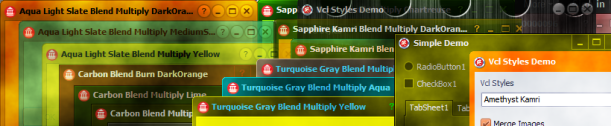
This post is just for announce which the VCL Styles Utils project now supports Delphi XE3.
 The Road to Delphi