UPDATE
This is an old article if you are looking how add vcl styles support to the Menus, dialogs and more try the VCL Styles Utils project.
The TPopupMenu component has not support for Vcl Styles directly, so if you use this control in a form with Vcl Styles enabled you will get a result like this.
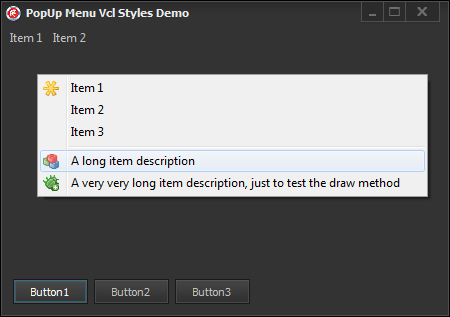
To fix this you have 2 ways :
- Write a style hook for a TPopUpMenu (The hard way)
- Or use the TPopupActionBar component (the easy way)
In this post I will show you how use the option 2, taking advantage of two facts
- The TPopupActionBar component has full support for Vcl Styles
- Descends directly from the TPopupMenu component.
So adding the Vcl.ActnPopup unit to your project and using a interposer class (before of the form declaration which contains the PopupMenu), you can add vcl styles to the TPopupMenu component.
[sourcecode language=”delphi” wraplines=”false”]
uses Vcl.ActnPopup;
type TPopupMenu=class(Vcl.ActnPopup.TPopupActionBar);
[/sourcecode]
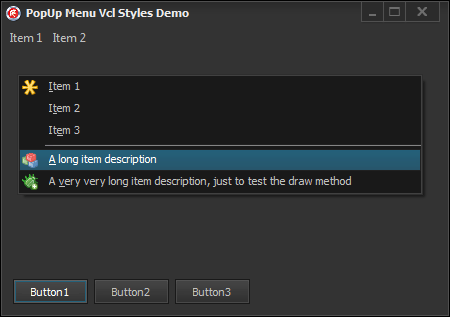
This is the result after of add the 2 above lines of code.