
The user agent strings identify what a user is using to access a web resource. some websites may deliver (slightly) different content depending upon what browser is being used. For example, if you use a iPhone user agent to browse to a WordPress site like http://theroadtodelphi.wordpress.com the result will see something like this :
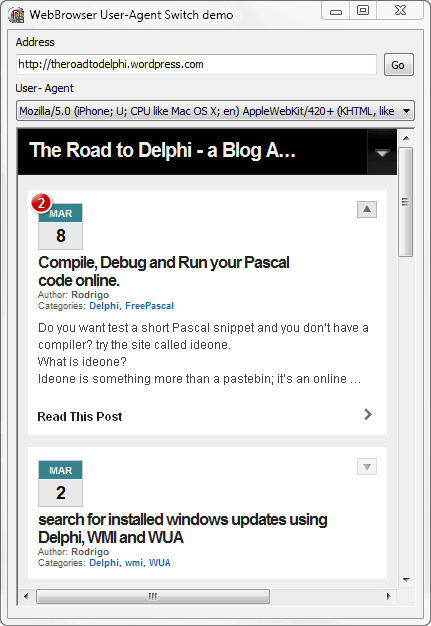
As you can see the content is designed to fit with a mobile device. in this post I will show how you can change the user agent of a TWebBrowser component.
to change the UA of TWebBrowser you must call the OnAmbientPropertyChange event of the IOleControl interface with the DISPID_AMBIENT_USERAGENT flag and in the implementation of the Invoke function for the IDispatch interface set the value for the New User Agent String.
check the next source code using a interposer class of the TWebBrowser which declare a new property called UserAgent in the component.
[sourcecode wraplines=”false” language=”delphi”]
const
DISPID_AMBIENT_USERAGENT = -5513;
type
TWebBrowser = class (SHDocVw.TWebbrowser, IDispatch)
private
FUserAgent: string;
procedure SetUserAgent (const Value: string);
function Invoke(DispID: Integer; const IID: TGUID; LocaleID: Integer; Flags: Word; var Params; VarResult, ExcepInfo, ArgErr: Pointer): HRESULT; stdcall;
public
property UserAgent: string read FUserAgent write SetUserAgent;
constructor Create(AOwner: TComponent); override;
end;
[/sourcecode]
and the implementation
[sourcecode wraplines=”false” language=”delphi”]
constructor TWebBrowser.Create(AOwner: TComponent);
begin
inherited Create(AOwner);
FUserAgent:=”;
end;
function TWebBrowser.Invoke(DispID: Integer; const IID: TGUID; LocaleID: Integer; Flags: Word; var Params; VarResult, ExcepInfo, ArgErr: Pointer): HRESULT;
begin
//check if the DISPID_AMBIENT_USERAGENT flag is being processed and if the User Agent to set is not empty
if (FUserAgent <> ”) and (Flags and DISPATCH_PROPERTYGET <> 0) and Assigned(VarResult) and (DispId=DISPID_AMBIENT_USERAGENT) then
begin
//set the user agent
POleVariant(VarResult)^:= FUserAgent+#13#10;
Result := S_OK; //return S_OK
end
else
Result := inherited Invoke(DispID, IID, LocaleID, Flags, Params, VarResult, ExcepInfo, ArgErr); //call the default Invoke method
end;
procedure TWebBrowser.SetUserAgent(const Value: string);
var
Control: IOleControl;
begin
FUserAgent := Value;
//the current interface supports IOleControl?
if DefaultInterface.QueryInterface(IOleControl, Control) = 0 then
Control.OnAmbientPropertyChange(DISPID_AMBIENT_USERAGENT); //call the OnAmbientPropertyChange event
end;
[/sourcecode]
Now to use the above code your only need to add a TWebBrowser component to your form, then add the declaration of the New TWebBrowser class to begin of your unit and finally you must add the implementation of the methods show in this article.
Now to set the new user agent, you only must set the UserAgent property.
[sourcecode wraplines=”false” language=”delphi”]
WebBrowser1.UserAgent:=’Mozilla/5.0 (iPhone; U; CPU like Mac OS X; en) AppleWebKit/420+ (KHTML, like Gecko) Version/3.0 Mobile/1A543a Safari/419.3′;
WebBrowser1.Navigate(EditURL.Text);
[/sourcecode]
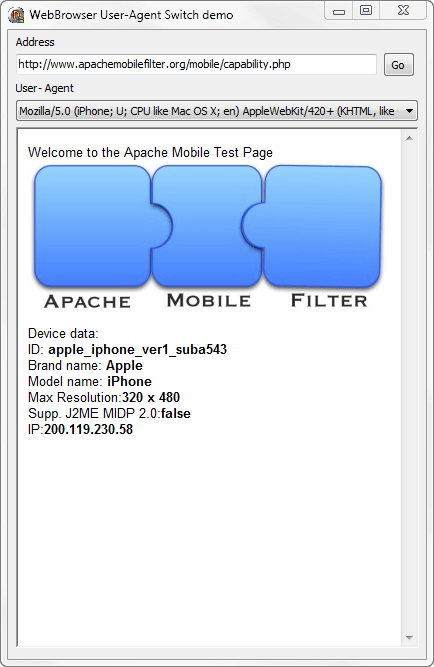
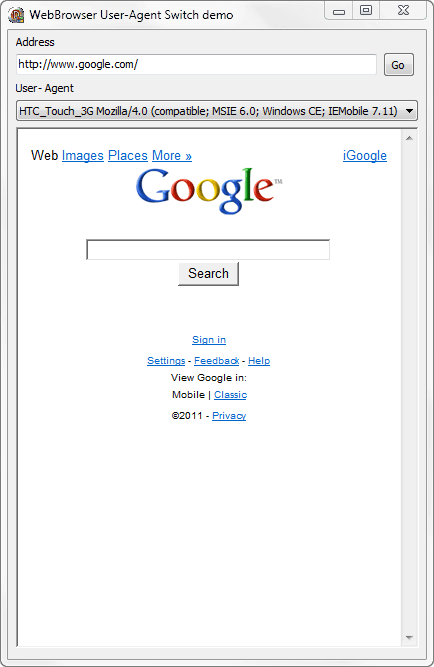
check the screen-shots for the demo application
For more info about User Agent strings check these links
Understanding User-Agent Strings
RFC 1945 – 10.15 User-Agent
Check the source code on Github.


