Today I receive a question about how disable the vcl styles in the non client area of a vcl form. Well that can be done using a Style hook.
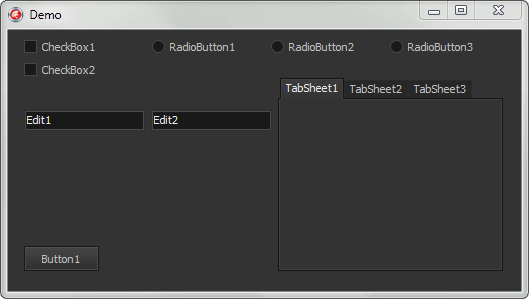
Tipically a VCL form with a vcl style look like this
To remove the vcl style in the non client are we need create a style hook which descend of the TMouseTrackControlStyleHook and then override the PaintBackground and Create methods.
Check this sample code
[sourcecode language=”delphi” wraplines=”false”]
TFormStyleHookNC= class(TMouseTrackControlStyleHook)
protected
procedure PaintBackground(Canvas: TCanvas); override;
constructor Create(AControl: TWinControl); override;
end;
constructor TFormStyleHookNC.Create(AControl: TWinControl);
begin
inherited;
OverrideEraseBkgnd := True;
end;
procedure TFormStyleHookNC.PaintBackground(Canvas: TCanvas);
var
Details: TThemedElementDetails;
R: TRect;
begin
if StyleServices.Available then
begin
Details.Element := teWindow;
Details.Part := 0;
R := Rect(0, 0, Control.ClientWidth, Control.ClientHeight);
StyleServices.DrawElement(Canvas.Handle, Details, R);
end;
end;
[/sourcecode]
And apply in this way
[sourcecode language=”delphi” wraplines=”false”]
TStyleManager.Engine.RegisterStyleHook(TForm1, TFormStyleHookNC);
[/sourcecode]
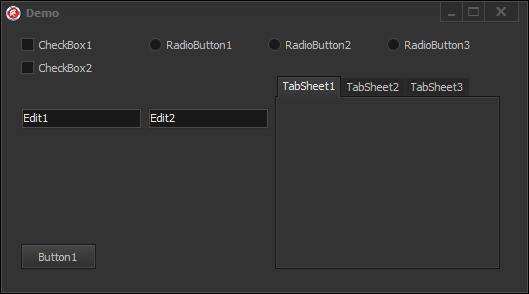
After of that this is the result