
I just added support for RAD Studio XE8 to the Delphi IDE Theme Editor (1.8.1.0). 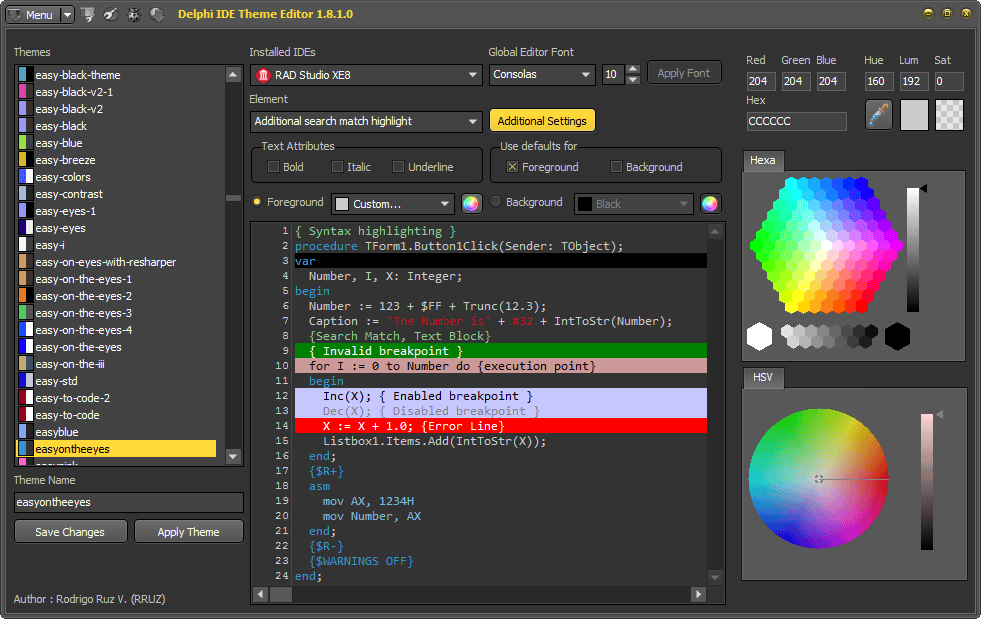 Also a new feature was introduced to allow edit the values (color and font) of the modern theme (only available in XE8). To use it just press the button “Additional Settings” and set values for the Main ToolBar and the IDE Font, finally press the button “Apply”. Also you can restore the default settings pressing the button “Restore”.
DITE supports RAD Studio XE8 and Modern Theme





5 responses
-
nice update thanks.
a little correction though, the download link in your post redirects to “Delphi ide colorizer” instead of “Delphi ide theme editor”.-
Thanks, the link was updated.
-
-
Rodrigo@
I can create my script by using RAD Studio Delphi XE7 ?
and something work? unpack my games ?
-
How can I restore original style for ide? I changed xe8 ide style and decide to revert back to its original style.
-
Use the option Set default theme values for selected IDE in the popupmenu of the available themes.
-


